What if you could answer your door from anywhere, without even getting up from your couch?
Overview of Blink Video Doorbell
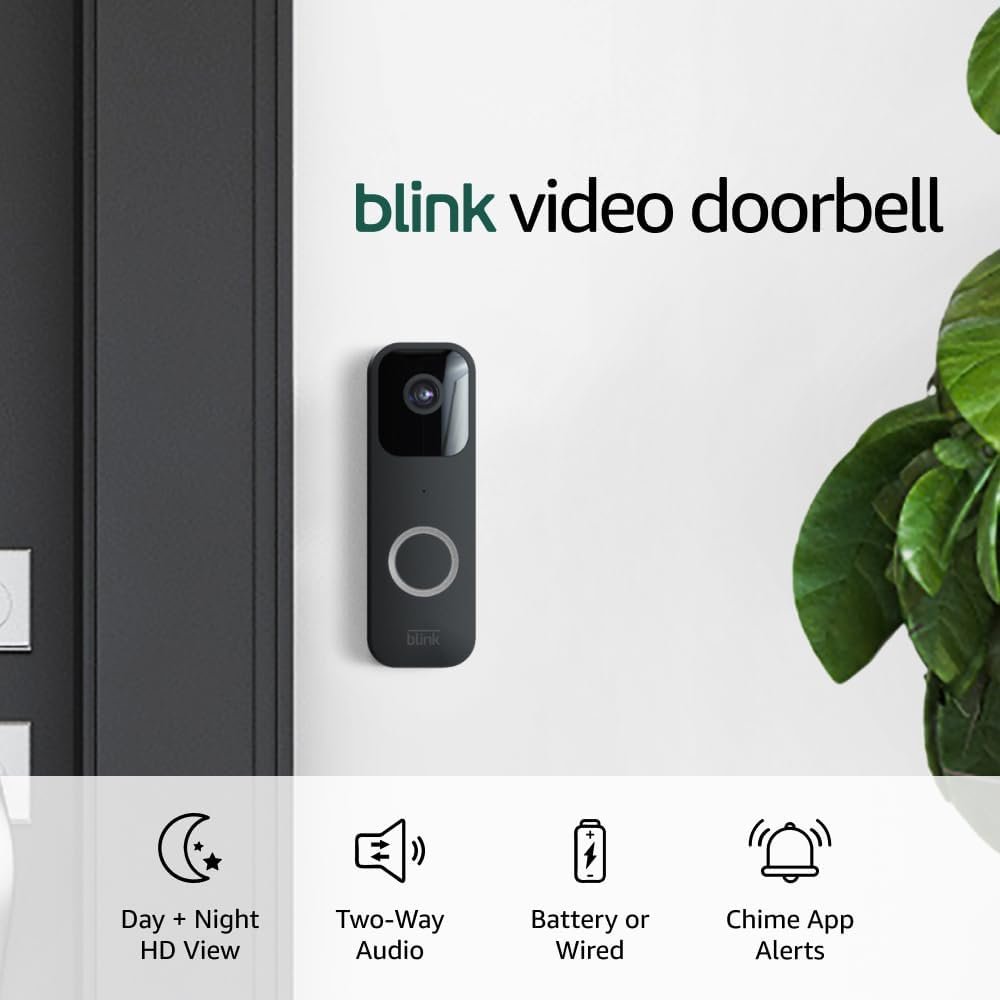
The Blink Video Doorbell (newest model) transforms how you respond to visitors with its advanced features. With two-way audio, HD video, motion alerts, and the convenience of Alexa compatibility, you won’t ever miss a visitor again, whether you’re home or away.

Key Features
Here’s a closer look at what this doorbell can do for you:
| Feature | Description |
|---|---|
| Video Quality | 1080p HD video with infrared night vision |
| Two-way Audio | Communicate directly with visitors through your smartphone |
| Motion Alerts | Receive notifications when motion is detected |
| Chime Alerts | Alerts when someone presses the doorbell |
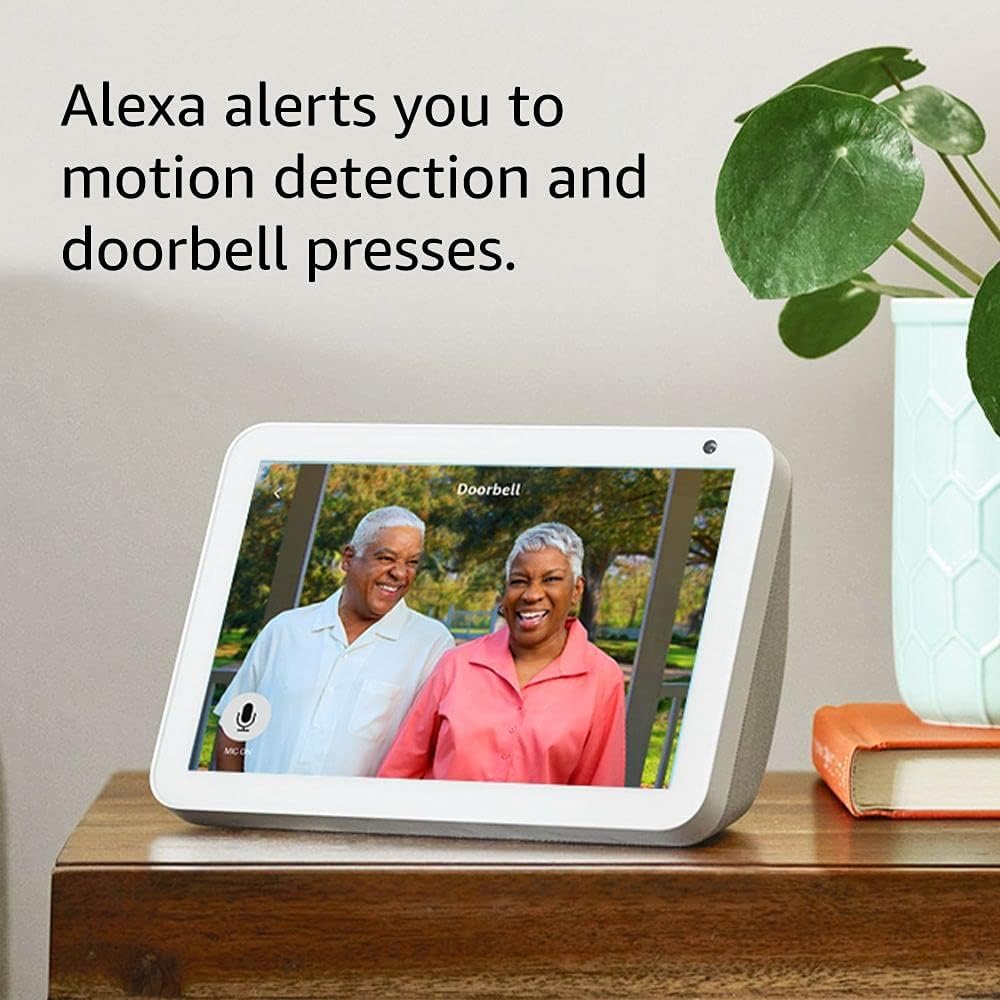
| Alexa Compatibility | Control and receive alerts via Alexa |
| Wired/Wire-free Options | Connect to existing wiring or use wire-free with battery |
| Cloud & Local Storage | Save and share clips in the cloud or use USB with Sync Module |
| Easy Setup | Quick installation using AA batteries and a smartphone app |
Video Quality: Crystal Clear
Imagine seeing every detail of who is at your door. The Blink Video Doorbell offers stunning 1080p HD video, ensuring clarity whether it’s a bright sunny day or a dark night. The infrared night vision capabilities mean you can keep an eye on your property around the clock. You can feel secure knowing you’ll have a clear view of who’s approaching your home.
Two-way Audio: Communication at Your Fingertips
One of the most impressive features of the Blink Video Doorbell is the two-way audio system. With this capability, you can talk to anyone at your door directly through your smartphone. Whether it’s a delivery person dropping off a package or a neighbor coming to say hello, you can interact with them without being physically present.
This is particularly great for ensuring you can answer any questions or give instructions about package handling, all while you’re relaxing indoors or away on vacation.
Motion Alerts: Always Stay in the Loop
Never be caught off guard again! The Blink Video Doorbell has motion detection technology that sends you alerts whenever someone approaches your door. You’ll receive notifications straight to your smartphone, so you can check in on what’s going on at your door at any given time. This ability to get alerts right when motion is detected allows for proactive security and awareness.
Chime Alerts: Know When Visitors Arrive
When someone presses the Blink Video Doorbell, you’ll also get chime alerts. Whether you’re in another part of the house or outside, you won’t miss a visitor. This is especially useful for busy households where it’s easy to miss the doorbell chime. The convenience of knowing someone’s at your door, even when you can’t see the screen, is invaluable.
Alexa Compatibility: Smart Home Integration
Integrating the Blink Video Doorbell with Alexa makes responding to visitors even easier. You can receive alerts and answer right from your Alexa-enabled device. Just ask Alexa to show you the front door live view. This feature automates part of your home security, making it simple to interact with anyone at your door without needing to use your smartphone constantly.
Wired or Wire-free: Versatility to Suit Your Needs
Whether you prefer a traditional wired installation or the flexibility of a wire-free setup, the Blink Video Doorbell accommodates both. If you have existing doorbell wiring, you can easily connect the device, ensuring you have continuous power and operation. If you want a more straightforward installation process or don’t have existing wiring, use the wire-free option with long-lasting battery life.
Storage Options: Keep Your Footage Safe
You have the choice of storing your recorded videos in the cloud with the Blink Subscription Plan, which offers a free 30-day trial to see how it works. Alternatively, if you prefer not to save your clips in the cloud, you can use the Sync Module to save recordings locally using a USB drive. This gives you the flexibility to choose how you want to manage your video footage.
Easy Setup: Get Started in Minutes
Setting up the Blink Video Doorbell is simple and quick. You can get everything done in just a few minutes by inserting the included AA lithium batteries, connecting the device to your Wi-Fi, and configuring everything through the user-friendly app. This hassle-free setup means more time securing your home and less time worrying about installation issues.
Accessories: Everything You Need
The Blink Video Doorbell comes well-equipped with everything necessary to get started. Inside the box, you will find:
- One Blink Video Doorbell
- 2 AA 1.5V Lithium Batteries
- 4 Screws
- 1 Case Opening Tool
Looking forward, to maximize your use of the doorbell, consider the Sync Module 2, which enhances battery performance and video management capabilities.
User Experience: Real-Life Applications
Many users have shared positive experiences with the Blink Video Doorbell. From easily engaging with visitors to receiving motion detection alerts, your daily life can become more seamless with this device. Whether you’re juggling work, family, or errands around town, the Blink Video Doorbell keeps you connected to your home without hassle.
Efficient Communication
You might be surprised at how much you utilize the two-way audio feature. Imagine being outside in your backyard when the doorbell rings. Instead of running inside to answer, you can just speak through your smartphone. This feature allows you to maintain the flow of your day while still being responsive to visitors.
Enhanced Security
Security is often a top priority for homeowners. With the Blink Video Doorbell, you’re not only able to see who is at your door; you can also provide a clearer deterrent for potential intruders. The fact that you can communicate with anyone at your door, even if you are not at home, adds a layer of security to your property.
Common Questions Users Ask
How’s the battery life?
The Blink Video Doorbell uses two AA lithium batteries for power, which are included in the package. When installed wire-free, users typically enjoy long-lasting battery life, depending on usage and other factors like ambient temperature.
Can I save footage for later?
Yes! You can either choose to save footage in the cloud with a subscription plan or store it locally using a USB drive with the Sync Module.
How do I connect it to Wi-Fi?
Setting up a connection to Wi-Fi is done through the Blink app. It’s a straightforward process that guides you through entering your Wi-Fi credentials.
What if I need help setting it up?
The user manual provides detailed instructions, and Blink also supports a community forum where you can get answers to your questions.
Conclusion: A Smart Investment for Your Home
Integrating the Blink Video Doorbell (newest model) into your home security system offers many advantages that enhance day-to-day living. With its combination of high-definition video, robust communication features, and smart technology integration, this doorbell guarantees that you are always connected to your property.
Whether you choose the wired option for seamless energy or the convenience of wireless, this doorbell suits various preferences and lifestyles. Protect your home, stay connected to visitors, and enjoy peace of mind—all from the comfort of your smartphone.
In this fast-paced world, why not make your home smarter and more responsive? With the Blink Video Doorbell, you’re not just investing in a doorbell; you’re investing in a smarter way of living.


